Loading
Job costing for crews of 1 to 25
Know what it costswhile it’s stillgoing up.
Every hour, every load, every receipt lands on the job the moment it happens, so you see the number while you can still do something about it. Works on any phone, even with no signal.
Job 204 · Johnson houseLive
Spent to date
Spent to date: $0Budget $34,000Left $34,000
- In the yard
- In the yard
- In the yard
- In the yard
- In the yard
- In the yard
06:15 — crew clocked in · 12 / 1207:02 — receipt scanned · $412.88 · 9 lines09:40 — receipt in · 6 of 8 off the list11:15 — no signal · 3 entries saved on the phone11:52 — back online · synced14:30 — plan vs. actual · 4% under16:05 — invoice sent · Johnson house17:20 — paid
How it goes today
This is job costingfor most crews.
Receipts in the truck. Hours in a group chat. Notes on the dash. The real number shows up at tax time, when it’s too late to change it. Go ahead, throw them around.
Drag · throw
Home Depot #4471 — lumber, screwsTOTAL$412.88
Mike: 9.5 hrs today, left at 6$332.50✓✓
Shell — diesel, truck 2TOTAL$86.40
Rebar #4 — 60 pcs. Paid??$1,120
Sunbelt — skid steer, 1 dayTOTAL$385
Sat OT — crew of 4$610
Did you approve the plywood? 40 sheets$1,240✓✓
Gas — mower + generatorTOTAL$64.10
Dump fee — landfillTOTAL$140
Floor & Decor — tile, groutTOTAL$790
Ana 8h. Send me the hours pls$256✓✓
Blade rental — back Fri!$95
Know everycrew hour.receipt.gallon of fuel.change order.dollar.
Not at month-end. Not at tax time. While the job is still running.
One app.Both ends of the crew.
01Offline-first
Works where the signal doesn’t.
Every phone keeps its own copy. The crew logs time, receipts and tasks in the basement or out on the lot, and it syncs on its own when the bars come back. Nothing lost, nothing counted twice.
- Works with no signal
- Syncs by itself
- Nothing counted twice
Online
Everything is synced. Nothing waiting.
Try it: cut the signal
02Boss & crew
Two apps in one.
Bosses get budgets, invoices and cost reports. Workers get their tasks, their hours and the job’s shopping list. Same app, and each person sees only their side.
- Budgets & invoices
- Tasks & hours
- Shopping lists
- Job 204 budget62% used · on plan
- To buy4 items · 1 urgent
- On site now12 / 12
- Unbilled this week$8,420
Same app · each person sees their side
03Job costing
The P&L writes itself.
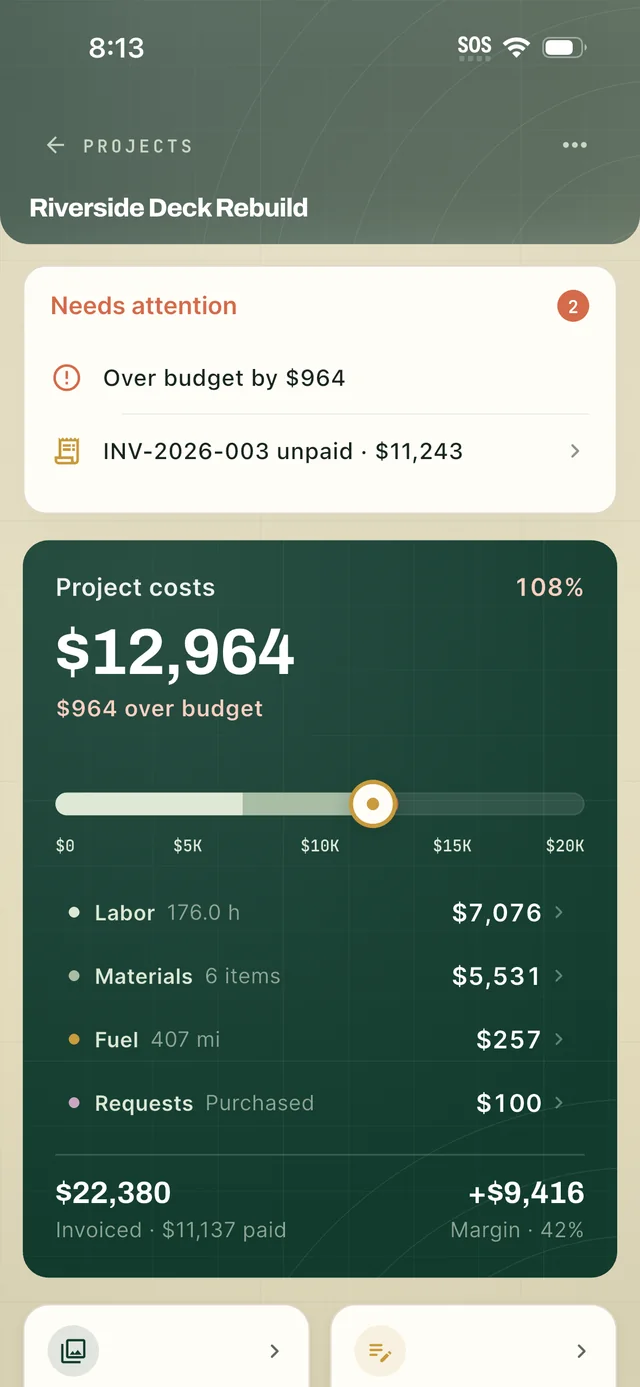
Every purchase, timesheet and fuel trip rolls into the job’s P&L as it happens. Labor, materials, budget left, all in one place, updated the moment a worker submits.
- Labor, materials, fuel
- Updates as it happens
- Budget left, live
PlanActual
Labor−$580
Plan $12,400 · Actual $11,820
Materials−$870
Plan $16,800 · Actual $15,930
Fuel+$240
Plan $1,900 · Actual $2,140
Margin on Job 20418.4%
04To buy
The crew’s list closes itself.
The crew adds what the job needs, typed or as a photo of the paper list. One receipt photo ticks off what was bought and puts the cost on the job. Paid out of their own pocket? It shows who to reimburse.
- Typed or a photo of the list
- One receipt ticks it off
- Shows who to reimburse
To buy · Job 204
Added by Mike R. from the site
Job 204 · Materials
- Home Depot #4471$412.88
- Rebar #4 × 60$1,120
The app
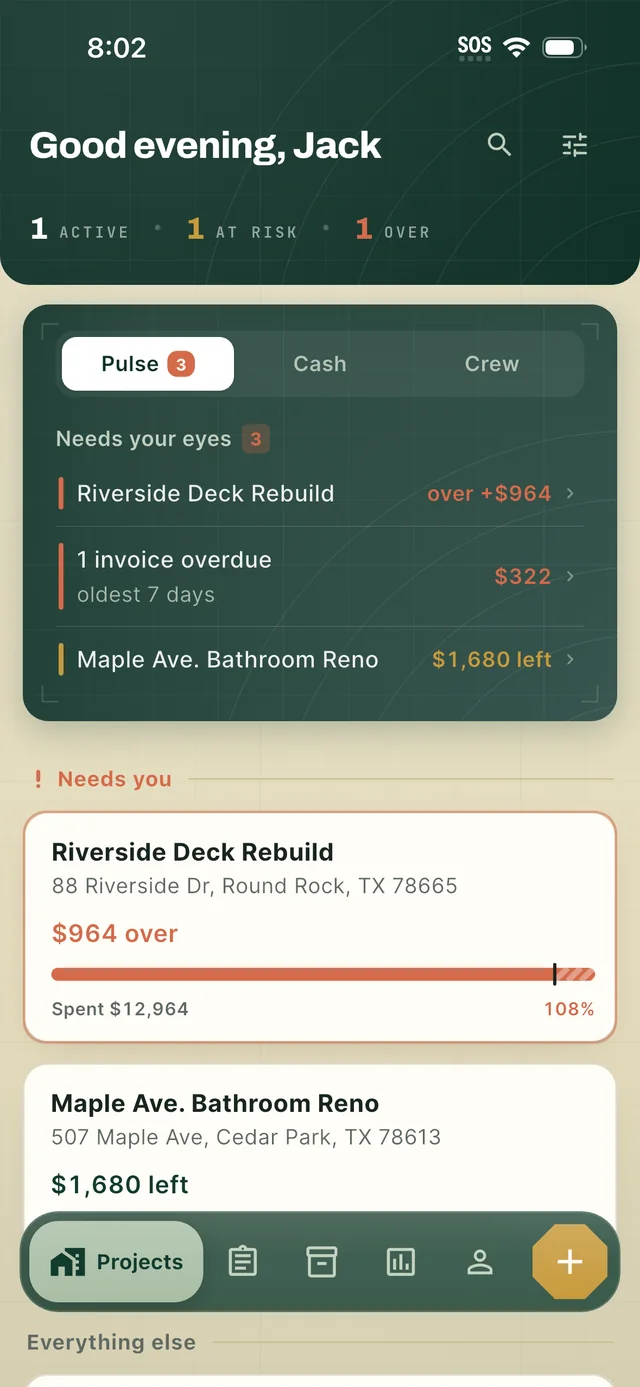
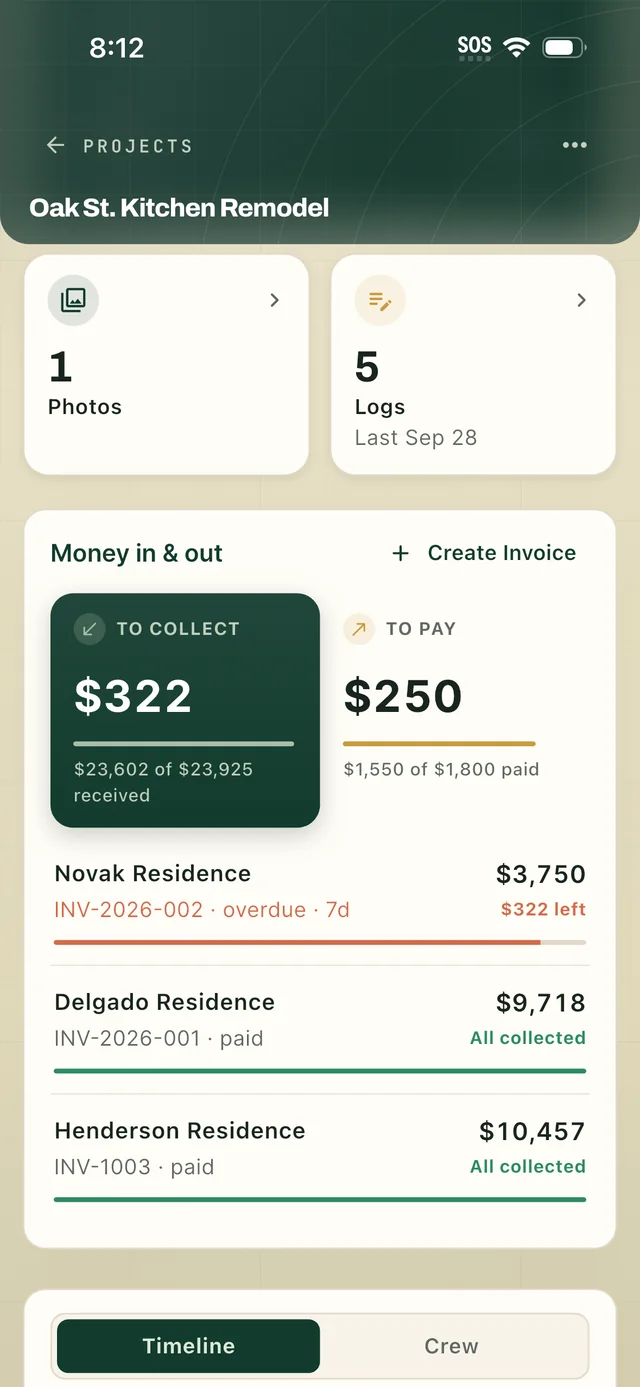
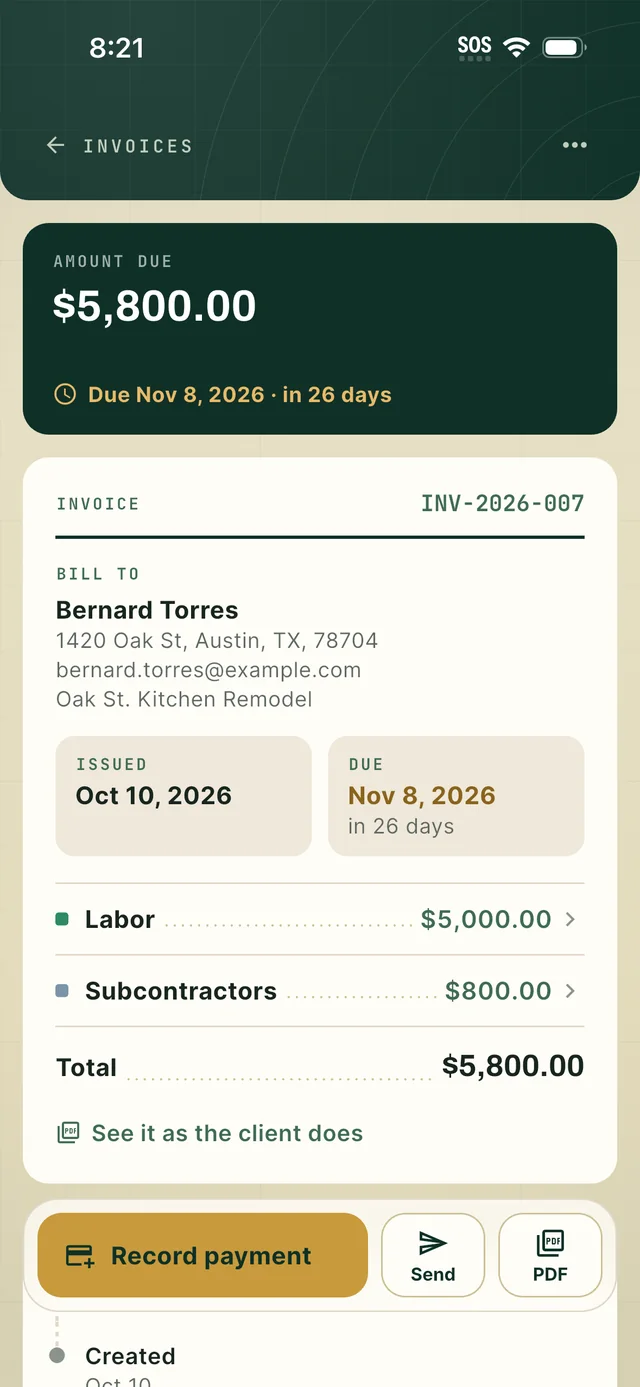
This is the real app.
Straight off the phone. No mockups, no renders.
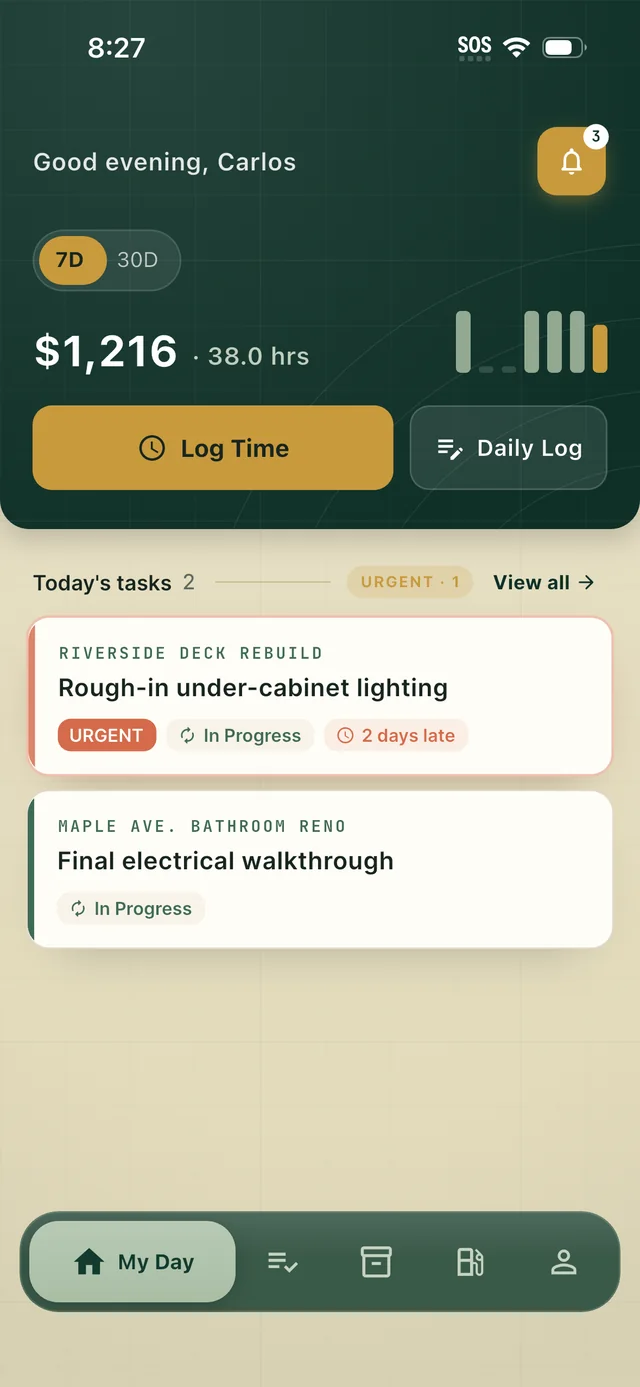
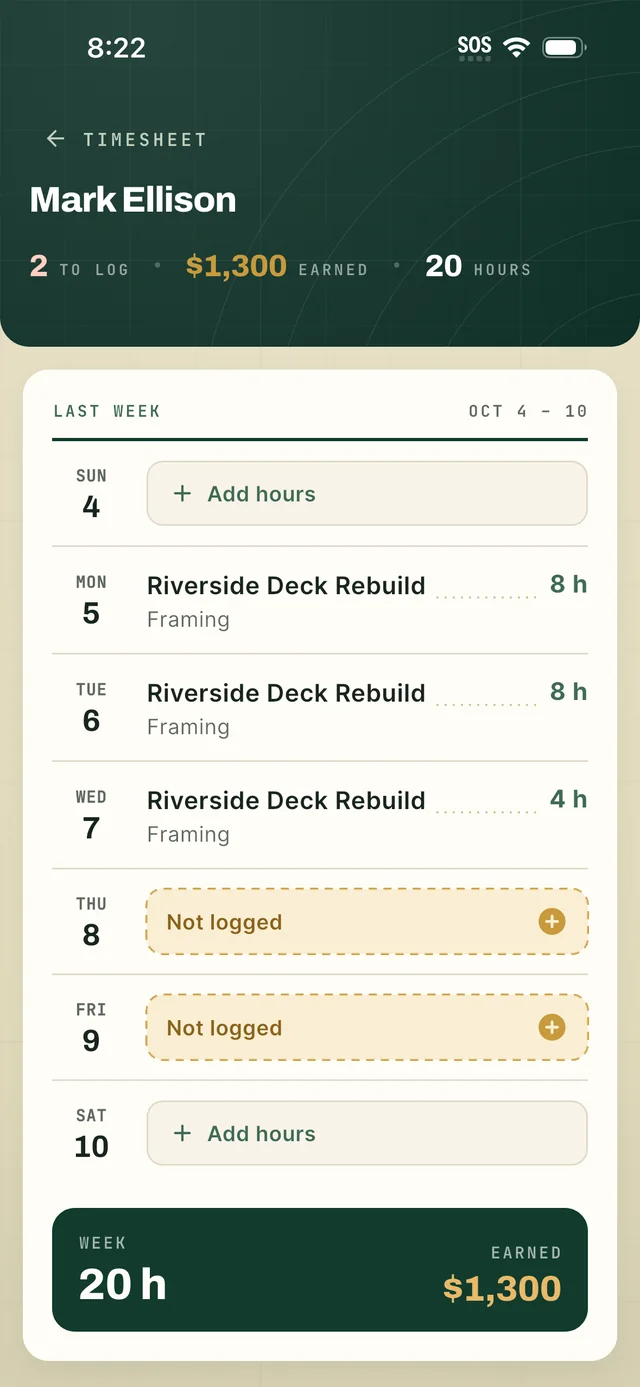
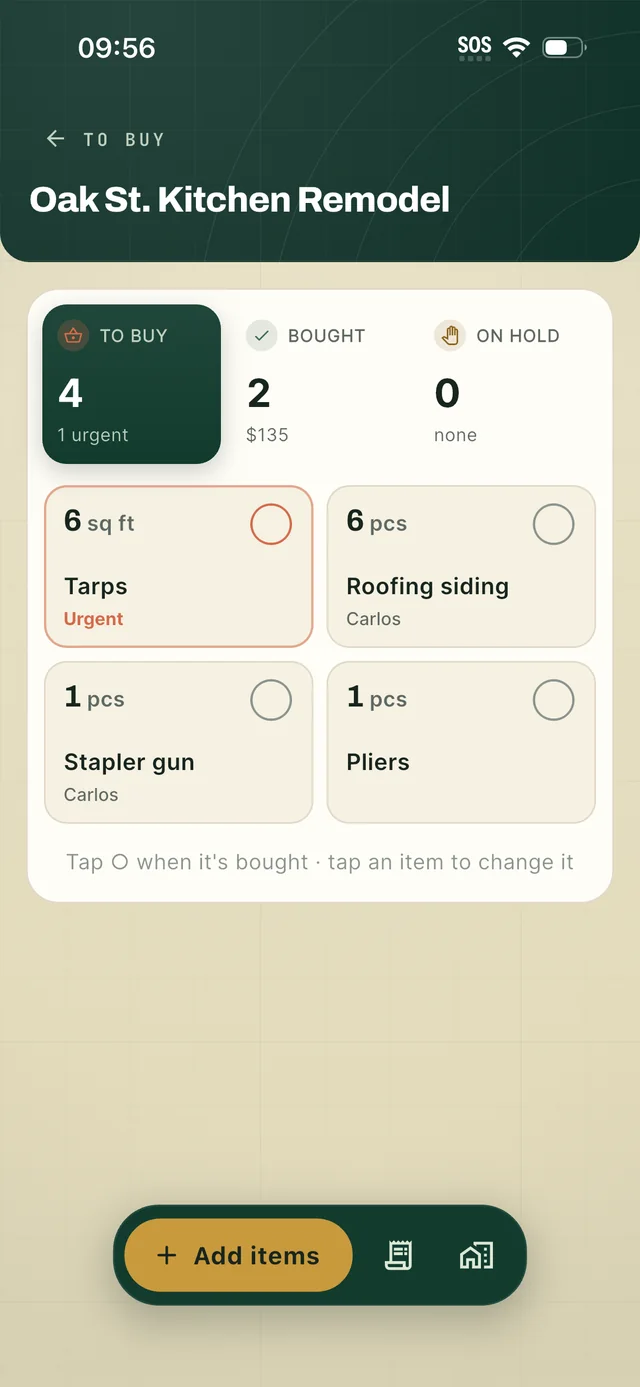
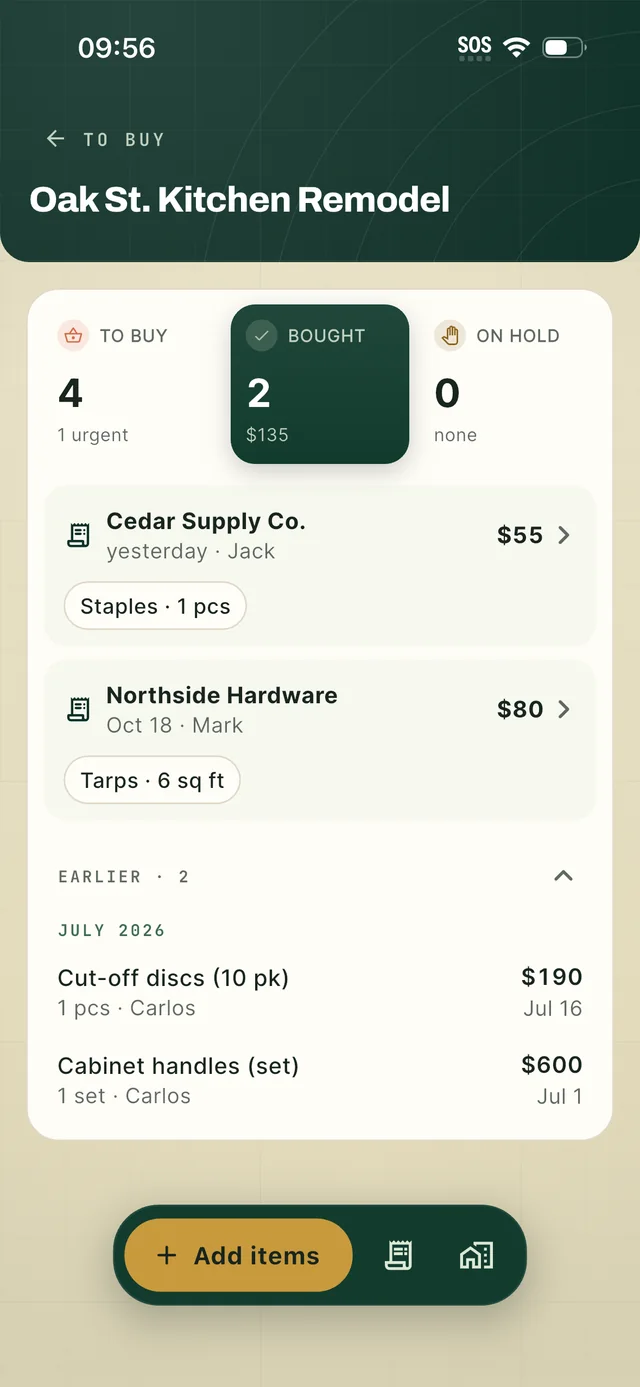
01 / 08
Every job, one glance.
Money left on each job, what’s over, who’s waiting on you.
How It Works
Four steps from signup to signed timesheet.
No 30-day implementation. No “customer success” call. You and your crew are running in an afternoon.
- 01Mon · 9:00 AM
Create your first project
Name, address, plan number, and a rough budget. You’re set up in under a minute — no onboarding call, no sales demo.
- 02Mon · 9:10 AM
Invite your crew
Text them a link. They install in 30 seconds and tap their name. Workers only see what matters to them — their tasks, their hours, the job they're on.
- 03Tue · 7:00 AM
Run the day, on the phone
Crew clocks in, logs materials and fuel, closes tasks. Everything works offline and syncs when signal comes back — no lost data, no duplicated entries.
- 04Fri · 4:30 PM
Run the numbers
End of week, open the Report tab. Labor, materials, contracts, fuel, plan vs. actual — ready to export as CSV for your bookkeeper, or as a statement for your client.
The math
Per-seat pricingpunishes hiring.
Drag to your crew size. A per-seat bill goes up with every person you hire. Ours has three prices, and then it stops.
12workers
151540
Per-seat app
Workyard’s published rate: $50 + $6 per user
$122/mo
Stroyka Starter
Unlimited jobs and invoices
$29/mo
Over a year, you keep$1,116/yr
Per-seat figure is Workyard’s own published annual-billing rate, checked 2026-09-23. Monthly billing costs more.
See every vendor, every sourcePricing
Flat monthly. No per-seat games.
Per-seat = per-worker. We don’t do that. Job costing and invoicing are free — you only pay once you’re running more than three jobs at a time.
Free
Everything you need to price one job right
$0forever
3 active jobs · 3 invoices a month
- Job costing & P&L — what every job really cost
- Invoice clients by email — 3 per month
- Up to 3 active jobs at a time
- GPS time clock, geofences & daily logs
- Materials — scan a receipt once, every line grouped
- Contracts, tasks, messaging & shopping lists
- Offline-first sync — up to 5 workers
- Client book — save up to 3 clients
Starter
Most popular
For contractors running several jobs at once
$29/ month
Up to 15 workers
- Everything in Free
- Unlimited active jobs
- Unlimited invoices
- Up to 15 workers
- Per-worker hourly rates
- Overtime alerts (32h & 40h warnings)
- PDF statements for your clients & daily logs
- CSV export & email support
- Unlimited client book — save a client once, reuse them on every invoice
Pro
For larger operations, no limits
$149/ month
Unlimited workers
- Everything in Starter
- Unlimited workers
- Import your clients from a CSV
- File & photo attachments in tasks
- Excel profit & loss for every job
- Automatic overdue payment reminders
- Priority support & dedicated onboarding call
Free forever for crews up to 5
Download the app and use it with up to 5 workers as long as you want. No trial timer, no credit card, no nagging upgrade modals.
Free data import
Send us your current spreadsheets or a CSV export from whatever you’re using. We’ll get your first job in the app for you — on us.
Cancel anytime
Paid plans are month-to-month, no contracts. Export every record as CSV or PDF before you go. 30-day grace window on your data.
FAQ
Straight answers. No runaround.
Everything you need to know before bringing Stroyka onto a jobsite — the questions real crews actually ask.
Yes. Stroyka is offline-first — all data is stored locally on each device and syncs automatically when a connection is restored. Workers in basements, rural areas, or anywhere with poor signal can still log time, add to the shopping list, and view tasks.
The boss sends email invites directly from the app. Workers tap the link, set a password, and sign in on the Stroyka app for iPhone or Android.
You can deactivate a worker’s account instantly from the app. They immediately lose access. Their historical timesheet and cost data stays in your account.
Your company’s data is siloed from every other company’s data at the database level — we don’t mingle it, don’t share it, don’t sell it. Encrypted at rest and in transit, hosted on battle-tested infrastructure. See our Privacy Policy for the specifics.
Yes. Every project, timesheet, and cost record can be exported as CSV at any time (Excel on Pro). If you ever cancel, you have 30 days to export everything.
Most construction platforms are designed for large general contractors with dedicated office staff and IT teams. They cost $500–$1,000+/month, take weeks to onboard, and charge per seat. Stroyka is purpose-built for small crews — the people who actually swing hammers. Flat pricing, no per-seat fees, no training required. Your crew can be up and running the same day.
Yes — the free plan is free forever, and it now includes job costing, P&L and invoicing, capped at 3 active jobs and 3 invoices a month. Starter is $29/month for unlimited jobs and invoices. Or book a 20-minute demo and we’ll walk you through the app live with your own sample data.
Generate an invoice from any project’s unbilled hours, materials, and fuel — add markup or custom line items, then email the PDF to your client right from the app. If an invoice goes overdue, send a one-tap payment reminder, or turn on automatic reminders and Stroyka politely follows up for you (up to 3 times).
Yes. Every screen is in English, Spanish and Russian, and each person picks their own language. You can run the job in English while your crew clocks in and logs materials in Spanish.
Run acleanerjobsite.
Up to five workers on the free plan, or book a twenty-minute demo and we’ll walk you through Stroyka live. No credit card either way.
$0 for up to 5 workersJob costing & invoicing includedCancel anytime